Skip to content

CHIT

  • About
  • Tutorials
  • Tech Support And IT Services
    • Assistenza, supporto e riparazioni PC/Laptop Windows/Linux (Locarno, Ticino)
  • Contatto

How To Install Codecs And VLC on openSUSE Leap 16

Posted on 21 Ottobre 202510 Marzo 2026 By chitblog 1 commento su How To Install Codecs And VLC on openSUSE Leap 16

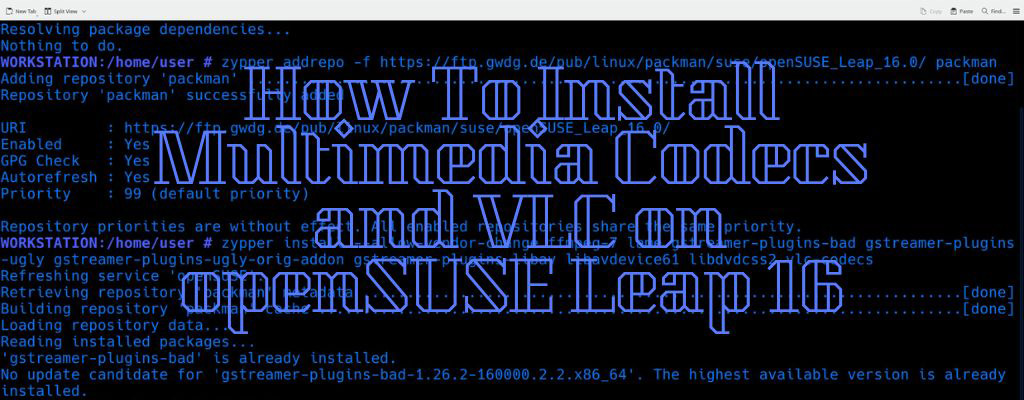
To install the Multimedia Codecs and VLC on openSUSE Leap 16 run the following commands:

# zypper in vlc
# zypper addrepo -f https://ftp.gwdg.de/pub/linux/packman/suse/openSUSE_Leap_16.0/ packman
# zypper install --allow-vendor-change ffmpeg-7 lame gstreamer-plugins-bad gstreamer-plugins-ugly gstreamer-plugins-ugly-orig-addon gstreamer-plugins-libav libavdevice61 libdvdcss2 vlc-codecs
# zypper dup --allow-vendor-change --from https://ftp.gwdg.de/pub/linux/packman/suse/openSUSE_Leap_16.0/

openSUSE, Tutorials Tags:Codecs, linux, Multimedia, openSUSE Leap 16, Packman

Navigazione articoli

Previous Post: How To Install OBS Studio on openSUSE Linux
Next Post: How to Create a Routed Network on QEMU/KVM/libvirt using Virsh

Comment (1) on “How To Install Codecs And VLC on openSUSE Leap 16”

  1. Thomas M Müller ha detto:
    31 Dicembre 2025 alle 15:28

    It would be nice if the instructions included how to import the public GPG key of the repository.

    Here is the command

    sudo rpm –import https://ftp.gwdg.de/pub/linux/packman/gpg-pubkey-1abd1afb.asc

    Thomas

    Rispondi

Lascia un commento Annulla risposta

Il tuo indirizzo email non sarà pubblicato. I campi obbligatori sono contrassegnati *

  • How to Create Customized LLMs (AI Assistants) Using Ollama
  • Virt-install and virsh: Creating and Managing Virtual Machines
  • How to Create Virtual Machines on QEMU/KVM Using Virt-Manager
  • KVM/QEMU and libvirt Introduction and Installation
  • WordPress Security Vulnerability Scanning Using WPScan
Italian
English