What is Virt-Manager?
Virt-Manager is a graphical user interface (GUI) for managing virtual machines that run on the KVM (Kernel-based Virtual Machine) and QEMU hypervisors. It provides a user-friendly interface for creating, managing, and deleting virtual machines, as well as for configuring their settings and hardware.
One of the key advantages of using Virt-Manager is that it provides a simple and intuitive interface for managing virtual machines, making it easy for users to create and manage virtual environments.
How to create a virtual machine using Virt-Manager
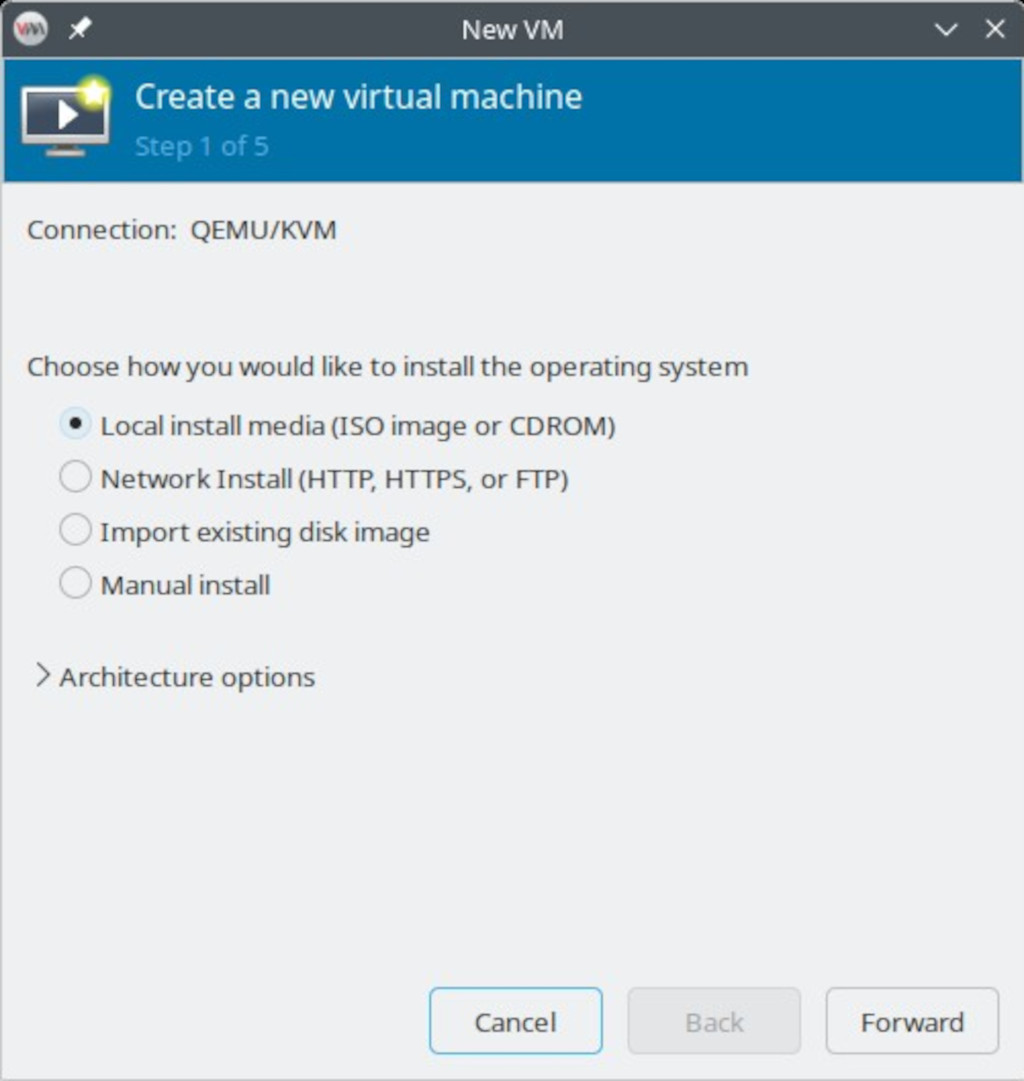
To create a Virtual Machine using Virt-Manager click on the “Create a new virtual machine” button on the toolbar. There are 5 steps, the first step is to choose the installation method, the second is “Configuring the installation media”, the third is “Memory and CPU configuration”, the fourth is “Virtual machine storage configuration” and in the final and fifth step is “Naming the guest OS and networking configuration”.
Let’s create a virtual machine and install the Fedora SERVER 44 operating system using the Local Install media (ISO Image or CD-ROM) method.
In the “Choose the installation method” step, select “Local install media (ISO image or CD-ROM)”.
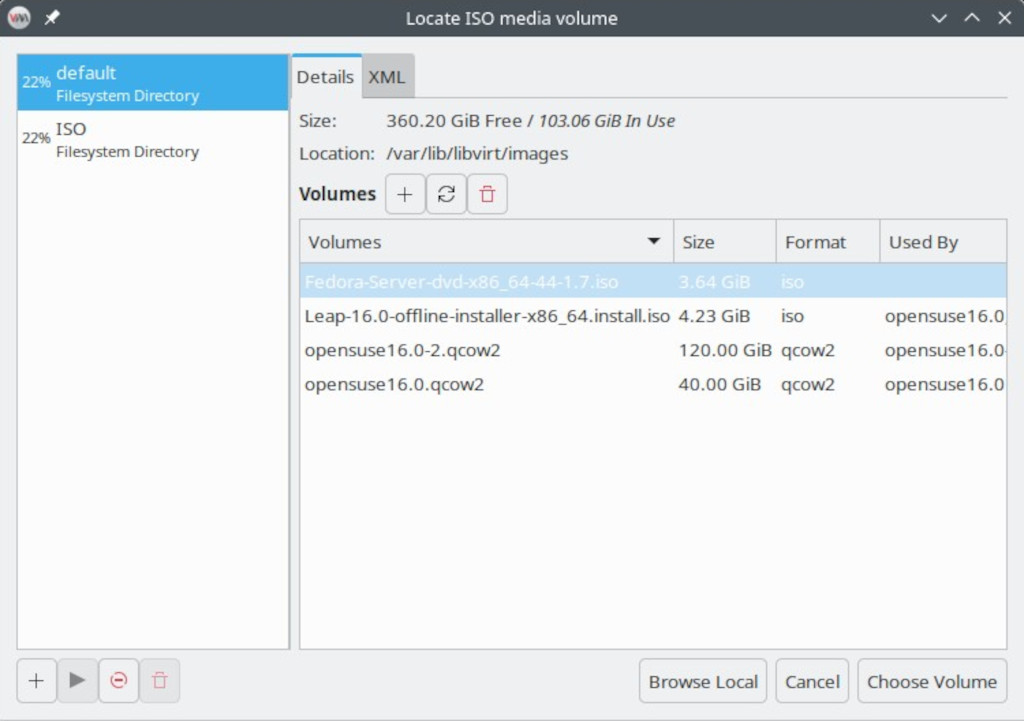
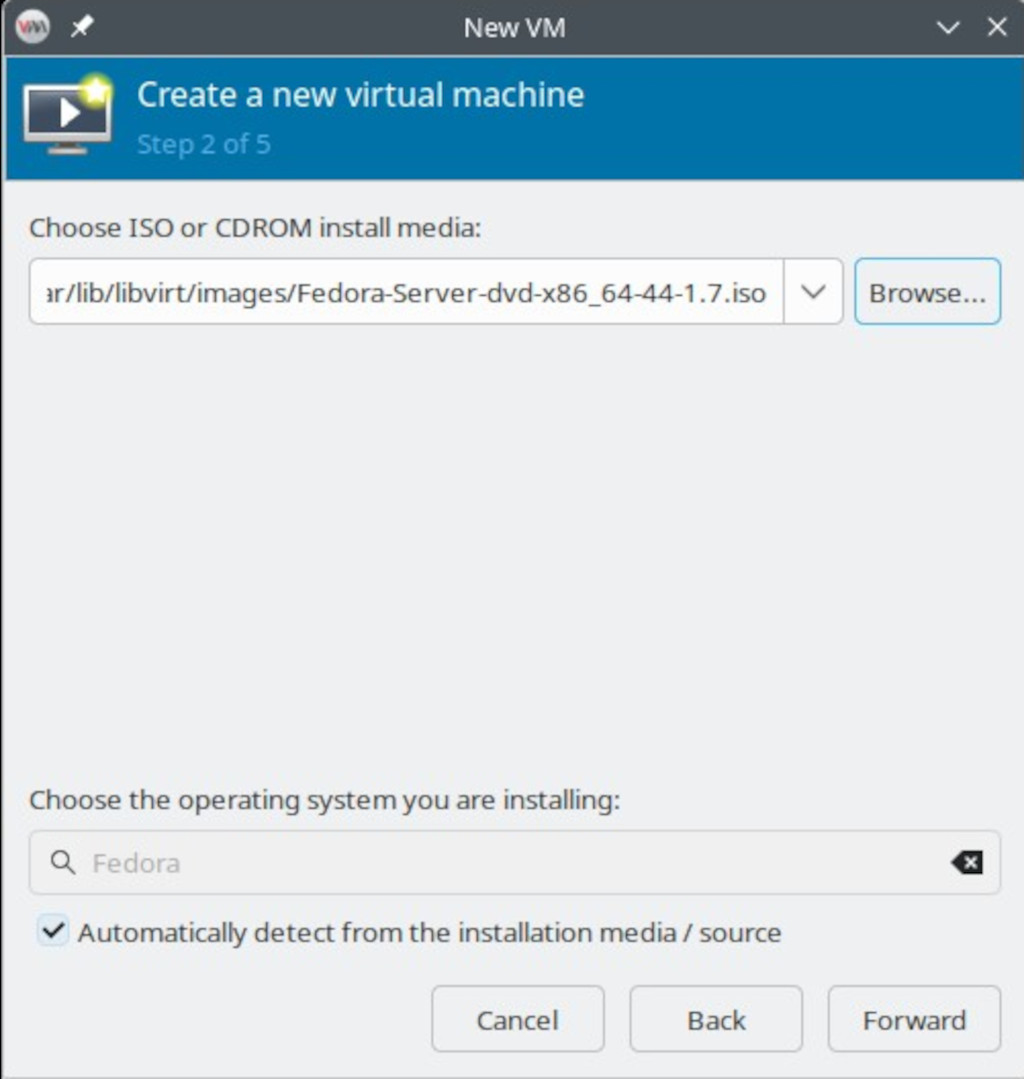
In the “Configuring the installation media” step, select the Operating System (in this example Fedora Server 44) ISO image from the list of available media.
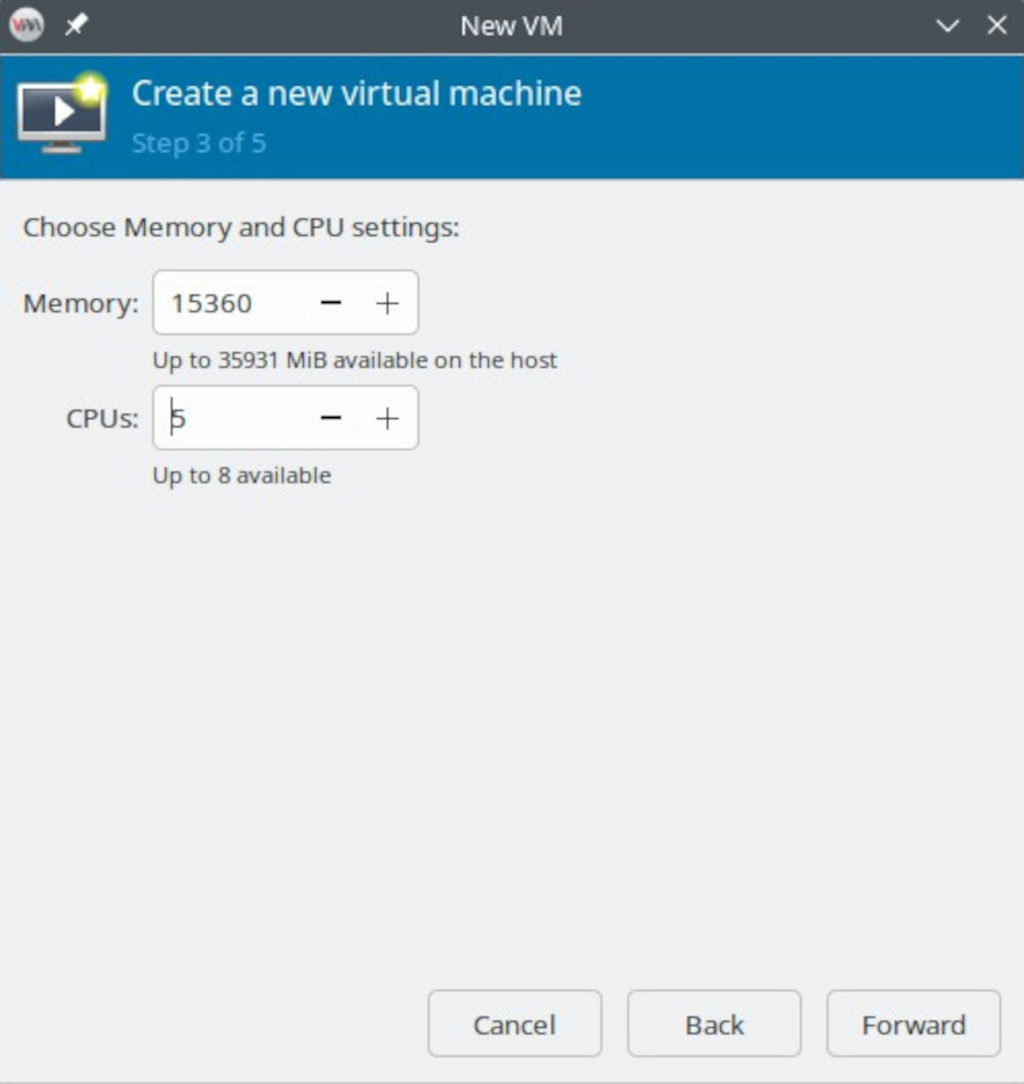
In the “Memory and CPU configuration” step, allocate the desired amount of memory to the virtual machine and select the number of CPUs.
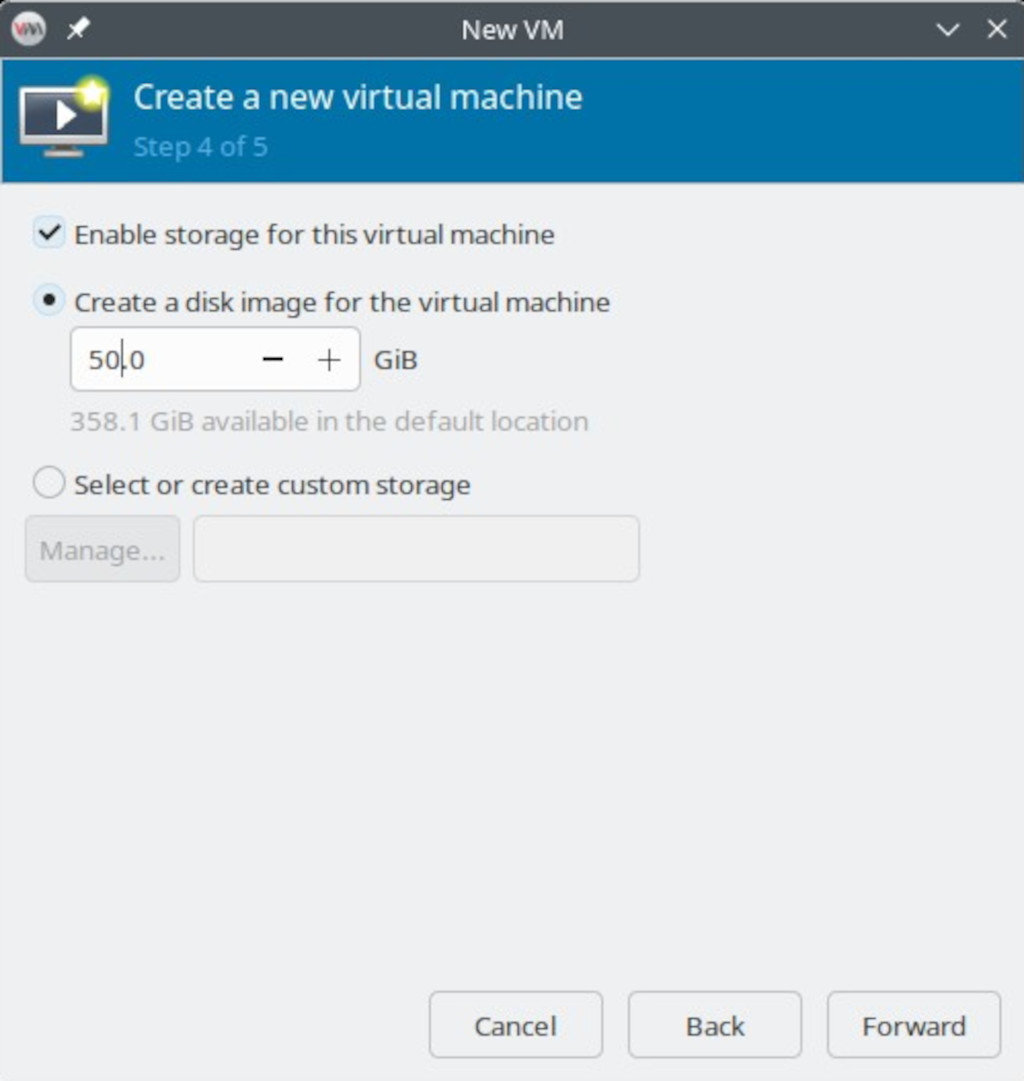
In the fourth step you create a disk image.
In the “Naming the guest OS and networking configuration” step, give the virtual machine a name and configure its network settings.
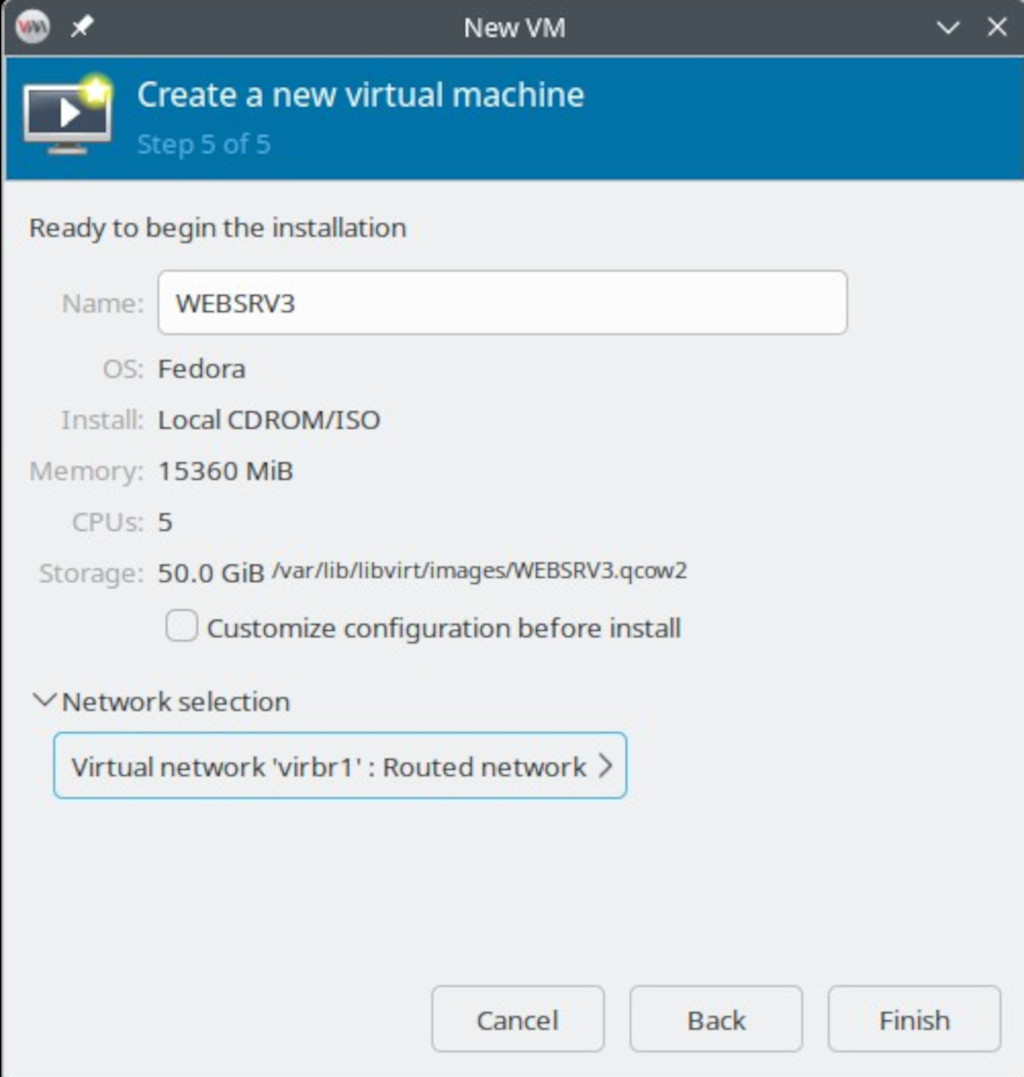
Finally, click “Finish” to create the virtual machine.