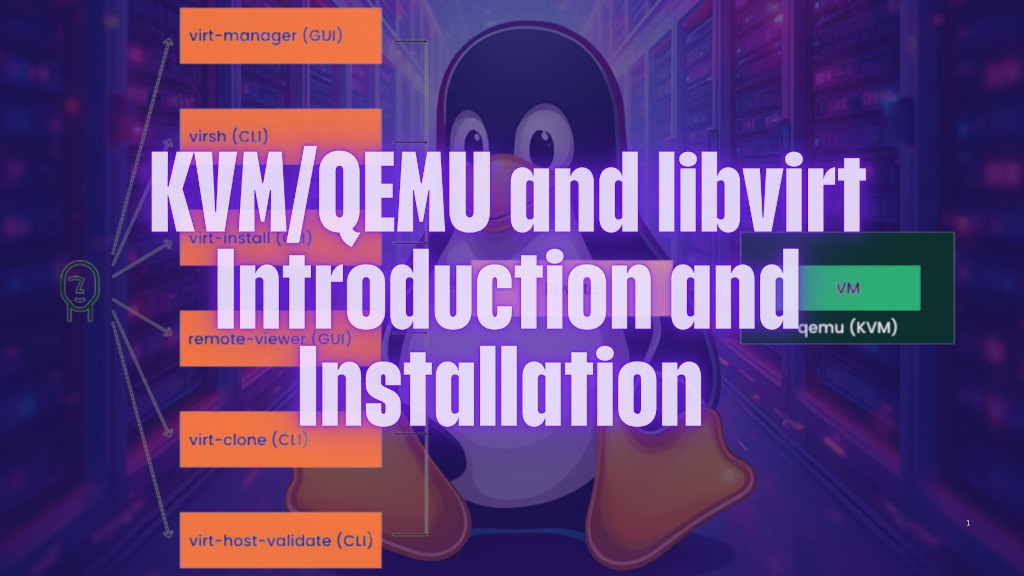
What is KVM/QEMU/libvirt?
Libvirt, KVM, and QEMU are three distinct yet closely related open-source projects that form the foundation of virtualization on Linux systems.
What is libvirt?
Libvirt, which stands for “library virtualization,” is a virtualization API that provides a standardized interface for managing and interacting with virtual machines (VMs) and virtual networks. It serves as an abstraction layer between the virtualization platform and the user, allowing for a consistent and platform-independent way of managing virtual resources.
What is KVM (Kernel-based Virtual Machine)?
KVM, or Kernel-based Virtual Machine, is a hardware virtualization module built into the Linux kernel. It allows for hardware-assisted virtualization, enabling multiple VMs to run on a single physical host, each with its own dedicated virtual hardware resources. KVM relies on QEMU to emulate the virtual hardware.
KVM turns the Linux kernel itself into a hypervisor. It provides the core virtualization infrastructure by:
- Leveraging CPU hardware virtualization extensions (Intel VT-x / AMD-V)
- Creating isolated virtual execution environments
- Managing virtual CPUs and memory at the kernel level
KVM is a kernel module that enables virtualization, it is used by QEMU to run Vms on Linux. KVM cannot provide hardware other than CPU & RAM.
What is QEMU (Quick EMUlator)?
QEMU (Quick EMUlator) is a free and open-source emulator that provides hardware virtualization capabilities. It can emulate a wide range of hardware platforms, including x86, ARM, and PowerPC architectures, as well as various peripherals like network cards, storage devices, and graphics adapters. QEMU is responsible for creating a virtualized environment for each VM, which is then managed by libvirt.
By itself, QEMU can emulate entire computer systems in software, but when paired with KVM it becomes much faster because:
- KVM handles the CPU/memory virtualization in the kernel
- QEMU manages device emulation (network cards, disks, graphics, USB, etc.)
- Together they deliver near-native performance
Without KVM, QEMU runs purely in software emulation (slow). With KVM, it achieves hardware-accelerated virtualization (fast).
How KVM, QEMU and libvirt work together
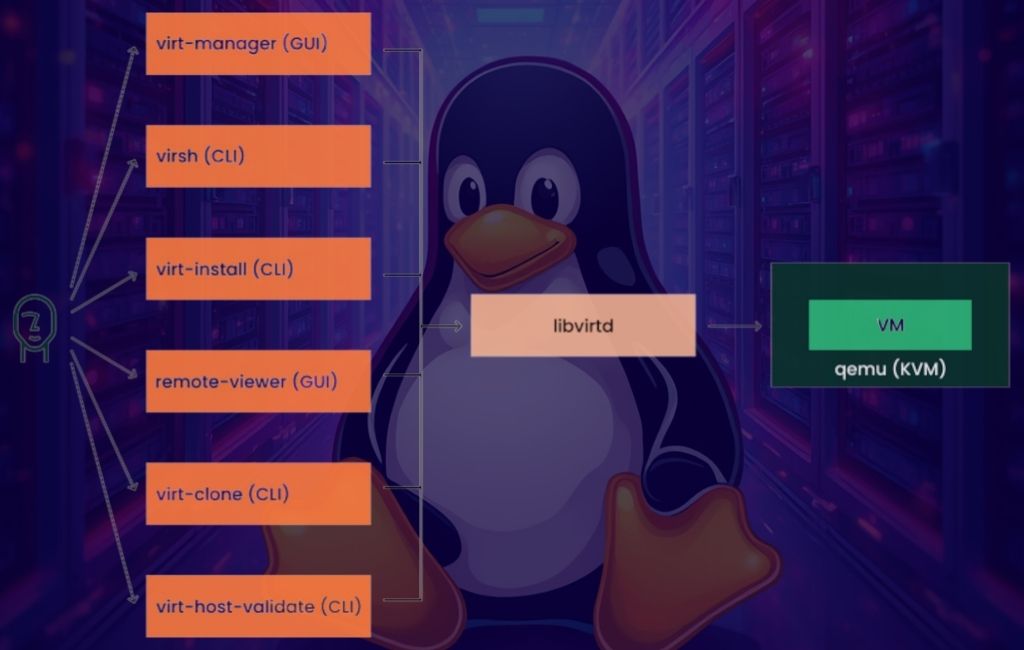
In essence, libvirt acts as the management interface for virtual machines, while KVM and QEMU work together to provide the actual virtualization environment. The libvirt API allows users to create, manage, and monitor VMs, networks, and storage devices, while KVM handles the hardware-assisted virtualization, and QEMU emulates the virtual hardware. This synergy enables the efficient creation and management of virtual environments on Linux systems.
How to install KVM/QEMU and libvirt on Linux
How to install libvirt on openSUSE Leap/SLE
# zypper install libvirt virt-manager
# systemctl start libvirtd.service
# systemctl enable libvirtd.service
# usermod -aG libvirt $USER
# reboot
How to install libvirt on Fedora
$ sudo dnf install libvirt -y
$ sudo dnf install virt-install -y
How to install libvirt on Ubuntu
$ sudo apt update
$ sudo apt install -y qemu-kvm libvirt-daemon-system libvirt-clients bridge-utils virtinst virt-manager cpu-checker
$ sudo adduser $USER libvirt
List of virsh commands to manage Virtual Machines
- virsh list
This command lists all virtual machines running on the system. - virsh stop <vm-name>
This command stops a virtual machine named <vm-name>. - virsh dominfo <vm-name>
This command displays detailed information about a virtual machine named <vm-name>. - virsh save <vm-name> <save-file>
This command saves the state of a virtual machine named <vm-name> to a file named <save-file>. - virsh restore <vm-name> <save-file>
This command restores the state of a virtual machine named <vm-name> from a file named <save-file>. - virsh dommemstat <vm-name>
This command displays memory statistics for a virtual machine named <vm-name>. - virsh domcpustat <vm-name>
This command displays CPU statistics for a virtual machine named <vm-name>. - virsh net-list
This command lists all networks defined on the system. - virsh net-define <network-file>
This command defines a new network from a file named <network-file>. - virsh net-start <network-name>
This command starts a network named <network-name>. - virsh net-destroy <network-name>
This command stops a network named <network-name>. - virsh pool-info <pool-name>
This command displays detailed information about a pool named <pool-name>. - virsh pool-list
This command lists all pools defined on the system. - virsh pool-define <pool-file>
This command defines a new pool from a file named <pool-file>. - virsh pool-start <pool-name>
This command starts a pool named <pool-name>. - virsh pool-destroy <pool-name>
This command stops a pool named <pool-name>.