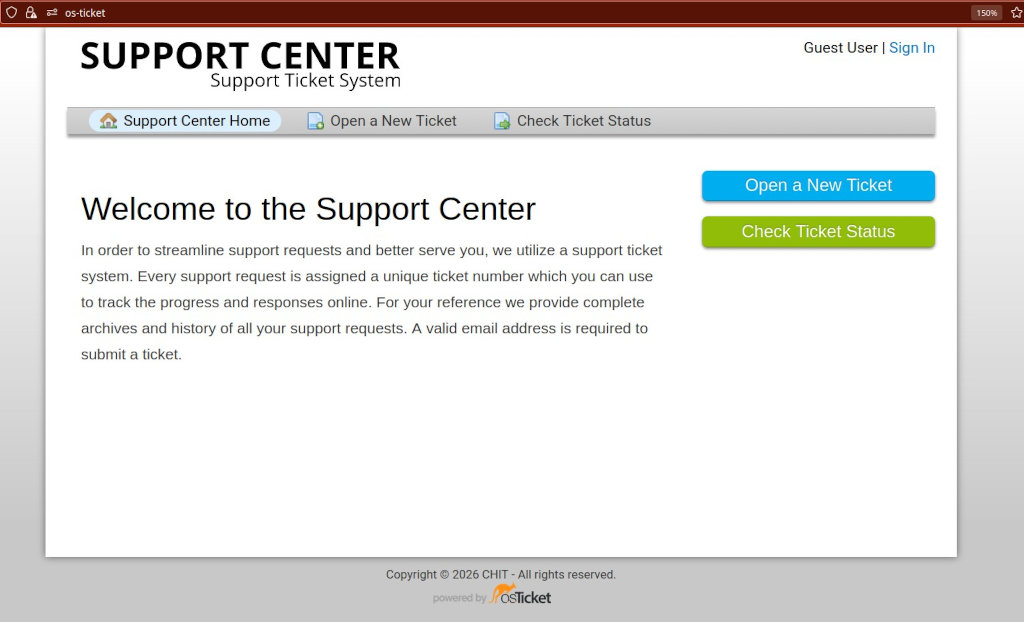
In this tutorial I will show you how to install an open source support ticket system for IT-Support etc. on an Apache Web server, Os-ticket. Before you proceed make sure you meet the requirements for a successful installation.
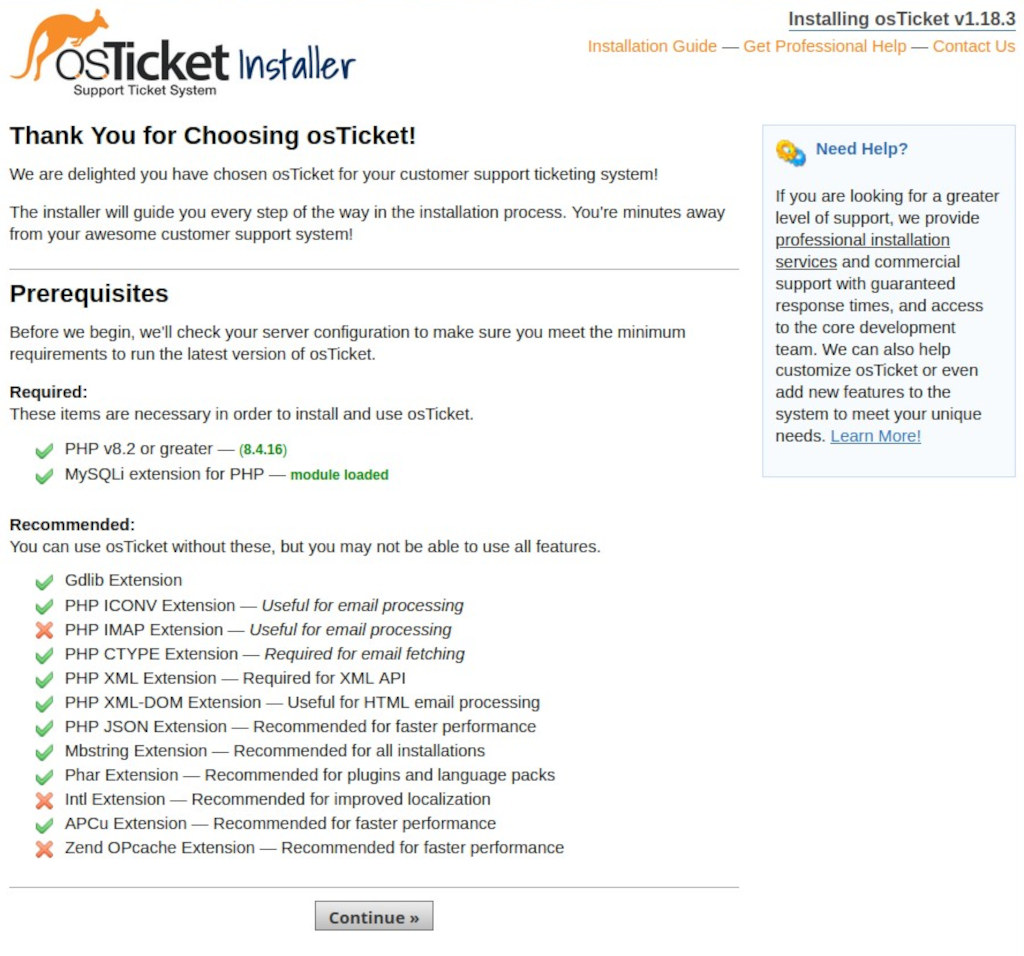
For example, I had to install the following PHP extensions on a openSUSE Leap Linux Server:
# zypper in php8-mbstring
# zypper in php8-APCu
# zypper in php8-gd
# zypper in php8-phar
# zypper in php8-gettext
# zypper in php8-ctype
# zypper in php8-iconv
# zypper in php8-cli
# zypper in php8-zip
# zypper in php8-xml
# zypper in php8-mysql
Requirements for Os-Ticket
- A working Linux Web Server running Apache
- PHP version 8.2 – 8.4 (8.4 recommended)
- mysqli extension for PHP
- MySQL database version 5.5 (or greater)
Required PHP Modules for Os-Ticket
- PHP ICONV
- PHP CTYPE
- PHP XML
- PHP XML-DOM
- PHP JSON
- MBSTRING
- PHAR
- GDLIB
- APCu
Some warnings can be ignored, for example:
“While not mentioned on the main PHP 8.5 announcement page, the detailed PHP 8.5 upgrade notes explain that Opcache is no longer an extension, but is included as part of the PHP binaries themselves going forward. As a result, there’s no longer an opcache.so library that needs to be loaded.”
Installation of Os-Ticket System
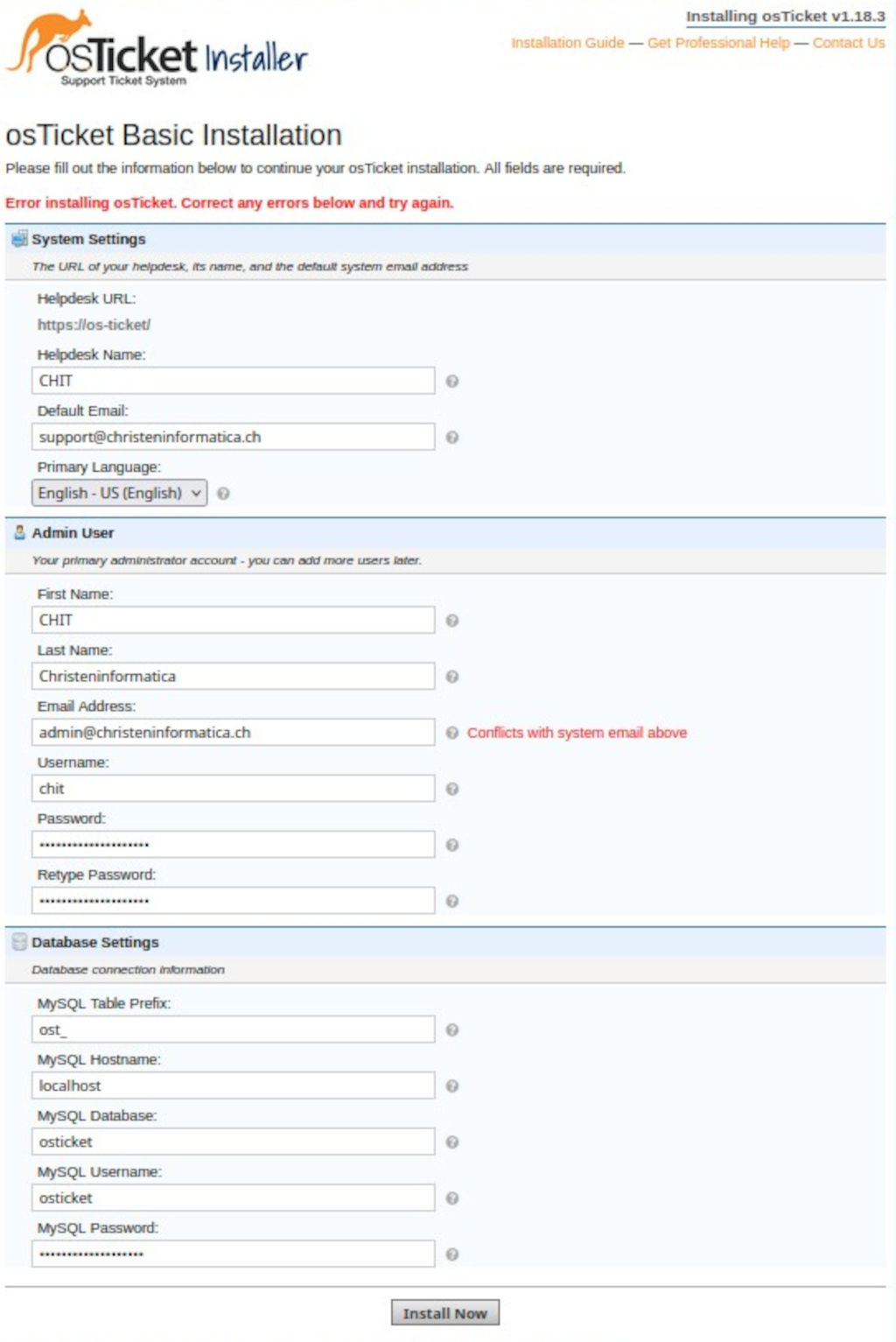
Create the MySQL/Mariadb database and user for OS-Ticket
CREATE DATABASE osticket;
GRANT ALL PRIVILEGES ON osticket.* TO 'osticket'@'localhost' IDENTIFIED BY 'Os999111!!!@@@Ticket';
FLUSH PRIVILEGES;

Apache Web Server Configuration For Os-Ticket
<VirtualHost *:443>
   ServerName os-ticket:443
   ServerAlias www.os-ticket
   DocumentRoot /web/web-sites/os-ticket
   ErrorLog "/web/logs/os-ticket/local-error.log"
   CustomLog "/web/logs/os-ticket/local-access.log" combined
   SSLEngine on
   SSLProtocol all -SSLv2 -SSLv3
   SSLCipherSuite ECDH+AESGCM:DH+AESGCM:ECDH+AES256:DH+AES256:ECDH+AES128:DH+AES:ECDH+3DES:DH+3DES:RSA+AESGCM:RSA+AES:RSA+3DES:!aNULL:!MD5:!DSS
   SSLHonorCipherOrder on
   SSLCertificateFile /web/ssl/os-ticket/os-ticket.crt
   SSLCertificateKeyFile /web/ssl/os-ticket/os-ticket.key
   CustomLog /var/log/apache2/ssl_request_log   ssl_combined
   <Directory /web/web-sites/os-ticket/>
   Options -ExecCGI -Indexes +FollowSymLinks -Includes
   DirectoryIndex index.php /index.php
   AllowOverride FileInfo
   Order Allow,Deny
   Allow from all
   </Directory>
</VirtualHost>

<VirtualHost *:80>
   ServerName os-ticket
   ServerAlias www.os-ticket
   DocumentRoot /web/web-sites/os-ticket
   ErrorLog "/web/logs/os-ticket/local-error.log"
   CustomLog "/web/logs/os-ticket/local-access.log" combined
   RewriteEngine On
   RewriteCond %{HTTPS} off
   RewriteRule (.*) https://%{HTTP_HOST}%{REQUEST_URI}
</VirtualHost>
Download and Install The Os-Ticket System for IT-Support
# zypper in git
$ git clone https://github.com/osTicket/osTicket
$ cd osTicket/
# php manage.php deploy --setup /web/web-sites/os-ticket/
Os-Ticket System Setup and Configuration
To prepare the configuration you run the following commands:
# chown -R wwwrun:root /web/web-sites/os-ticket/
# cp include/ost-sampleconfig.php include/ost-config.php
# chmod 0666 include/ost-config.php
Then, you visit https://os-ticket (you use your address) and the setup page OsTicket installer will appear, just click on continue and follow the instructions.
In the final page, Os-Ticket Basic Installation, you add the username and database you created with MySQL and click on Install Now.
After the installation and configuration of Os-Ticket you should remove the setup directory and change the rights of the files -for security reasons- like this:
# rm -R setup
# chmod 0644 include/ost-config.php
# chown -R root:root os-ticket
Now, you can start using your open source ticket system, Os-Ticket.